Cat5e, Cat6 or Cat6A: which network cable your home actually needs
The difference is bandwidth, not just speed: 100 MHz against 250 and 500, and a 100-metre limit before the link degrades.
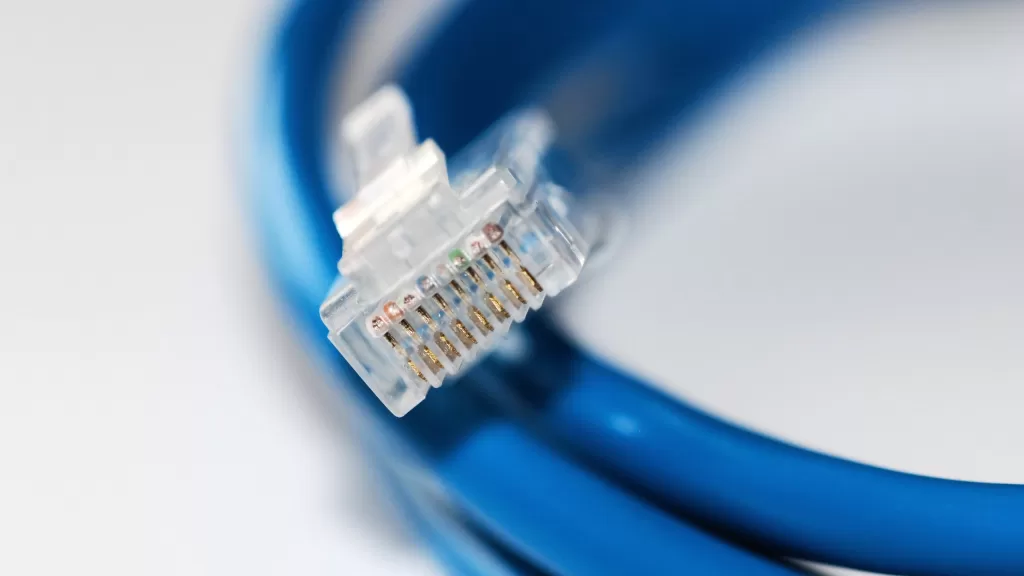
Printed along the jacket of every network cable is a small line most people never read: Cat5e, Cat6 or Cat6A. That label decides how much data the cable can carry and how far. A higher number does not automatically make your connection faster, though.
What the categories mean
The real difference is bandwidth, the frequency range the cable is built for, measured in megahertz. Black Box, a network infrastructure company, sets the figures out like this:
- Cat5e: 100 MHz, and 1 Gbps over runs of up to 100 m.
- Cat6: 250 MHz, 1 Gbps up to 100 m, and 10 Gbps but only up to 55 m. Beyond that it falls back to 1 Gbps.
- Cat6A: 500 MHz, and 10 Gbps over the full 100 m.
- Cat7: 600 MHz and 10 Gbps, always shielded, and recognised by the international ISO/IEC 11801 standard rather than the American TIA 568.
- Cat8: 2,000 MHz and 25 or 40 Gbps up to 30 m, aimed at data centres.
The company’s analogy: bandwidth is the number of lanes on a road. Cars don’t drive faster on an eight-lane motorway, but it carries far more traffic at once.
Telling your cable apart
The category is usually printed on the jacket. If it isn’t, you cannot tell from the colour or the plug, because the RJ45 connector is the same on every category. The only clue is thickness: higher categories tend to be fatter, because they use heavier copper.
Which one for a home
A link is only as fast as its slowest part. If your router or device port is 1 Gbps, as its spec sheet will say, a Cat6A cable will still give you 1 Gbps. For a short patch lead from the router to a TV or games console, Cat5e or Cat6 is plenty.
Cable that goes inside walls or ceilings, where it is hard to replace, is a different matter. There the advice is Cat6A, which will carry 10 Gbps over a full 100 m when the equipment eventually catches up. Black Box puts the price step at roughly 30% from one category to the next, which is far less than the cost of pulling new cable later.
One condition comes before any category, the company says: buy 100% copper cable. Poor cabling is behind dropped links and sudden losses of connection.
Photo: An RJ45 plug on the end of a network cable. By Devcore, public domain (CC0), via Wikimedia Commons.
Source: Black Box, “6 Things to Consider When Choosing CATx Ethernet Cables“.
Kuwait One, once a week.
The most useful stories we published this week, in your inbox.
No spam. Unsubscribe anytime.