Seven settings that lock down the router in your home
After a 2026 campaign hijacked weak devices worldwide, this is what the NSA tells households to change.
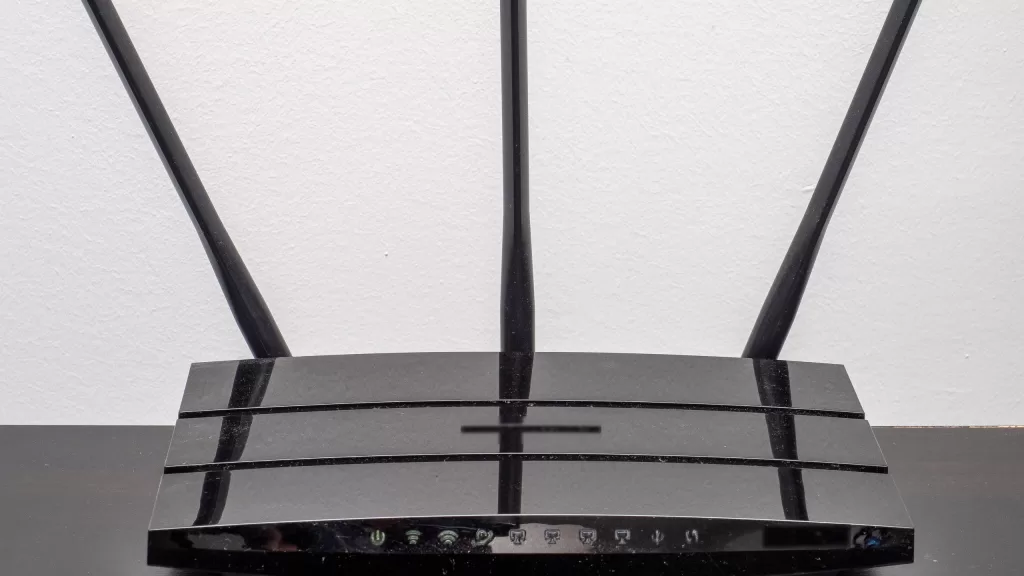
The router your telecom provider left in the corner is the one gateway between every device in your home and the internet. Whoever controls it can see what passes through and quietly send your requests somewhere other than where you meant to go. That isn’t hypothetical: on 7 April 2026 the FBI, joined by the US National Security Agency, warned of a campaign that had exploited vulnerable home and small-office routers around the world to harvest passwords and hijack traffic.
Most of the fix is a handful of settings you change once on the router’s admin page. These steps come from the NSA’s guide to securing a home network and from that warning’s recommendations.
1. Change the admin username and password
This isn’t your Wi-Fi password. It’s the login for the router’s own settings, and many routers ship with a default printed on the label underneath or listed online for anyone who looks up the model. The warning’s first recommendation: change the default username and password.
2. Install the latest firmware and turn on automatic updates
Router firmware gets security patches just like your phone. The NSA advises keeping it on the latest version, ideally through automatic updates. Look for “firmware” or “update” in the settings.
3. Switch off remote management
Remote management exposes the settings page to anyone on the internet. The guide is blunt: disable it, and only make network changes from inside your own network.
4. Switch off UPnP
Universal Plug and Play lets any device in the house open ports on the router without asking you. The NSA recommends disabling it.
5. Split your network
The agency’s minimum is three networks: your main one, a guest network, and one for smart devices such as cameras, TVs and AC controllers. If one of those gets compromised, it stays away from your phone and laptop.
6. Reboot it every week
The guide suggests scheduling weekly reboots of the router, phones and computers, because a restart clears some malware that lives only in memory.
7. Replace a router that’s out of support
Once the manufacturer stops updating a router, its holes stay open for good. The warning says it plainly: upgrade end-of-support devices. If your router came from your telecom provider, ask them about its latest update and the admin login before changing anything yourself.
For Wi-Fi encryption the NSA recommends WPA3, or WPA2/3 if older devices need it, with a passphrase of at least 20 characters.
Photo: A home router with three antennas, brand logo and model label removed. ajay_suresh, CC BY 2.0, via Wikimedia Commons.
Sources: NSA, “Best Practices for Securing Your Home Network” (media.defense.gov); NSA statement of 7 April 2026 on the FBI warning about exploited routers (nsa.gov).
Kuwait One, once a week.
The most useful stories we published this week, in your inbox.
No spam. Unsubscribe anytime.