HDMI eARC: why your soundbar may not be getting the full cinema sound
Plain ARC tops out at compressed audio, and the cable and a buried setting decide the rest.
You bring home a soundbar or an AV receiver, plug it into the TV with an HDMI cable, and the Dolby Atmos film you put on does not sound like the box promised. More often than not, the culprit is one port on the back of the TV and a single letter in its name.
ARC and eARC
ARC, the Audio Return Channel, arrived in 2009. The idea is that the HDMI cable carrying pictures into the TV can also send sound back out of it to your speakers, so you don’t need a second cable.
eARC, the Enhanced Audio Return Channel, carries audio at up to 192 kHz and 24-bit, including uncompressed 5.1 and 7.1 and up to 32 uncompressed channels. It handles the high-bitrate formats: Dolby TrueHD, Dolby Atmos, DTS-HD Master Audio and DTS:X. The key difference, according to HDMI’s licensing body, is that eARC can pass uncompressed, high-bandwidth audio and ARC cannot.
Make sure you’re on the right port
Most TVs have three or four HDMI inputs, and only one is labelled eARC or ARC. The cable from your soundbar has to go into that port.
Then check the TV’s sound settings. You may have to switch eARC on yourself; plenty of sets ship with it off.
Two ways to wire it
The simplest is to plug your sources, such as a games console, set-top box or Blu-ray player, into the TV, then run one cable from the TV’s eARC port to the soundbar or receiver. The TV becomes the hub and passes the full audio along.
The alternative, popular with wall-mounted TVs, is to plug every source into the receiver or soundbar and run a single cable from it to the TV’s eARC port.
The cable matters
The cable certified for eARC is the Ultra High Speed HDMI Cable. Older cables marked “with Ethernet” may work, but they aren’t certified for it, so if the sound drops out or a format won’t appear, swap the cable first.
Three things to know before you buy
- eARC generally can’t be added with a firmware update. If your TV doesn’t have it, an update won’t give it to you; ask the manufacturer.
- eARC isn’t defined as backward compatible with ARC. Some manufacturers build products that support both, so check the specs of the TV and the soundbar together.
- If your TV only has ARC, an eARC soundbar will usually still work, but within ARC’s limits: compressed sound, not the high-resolution formats.
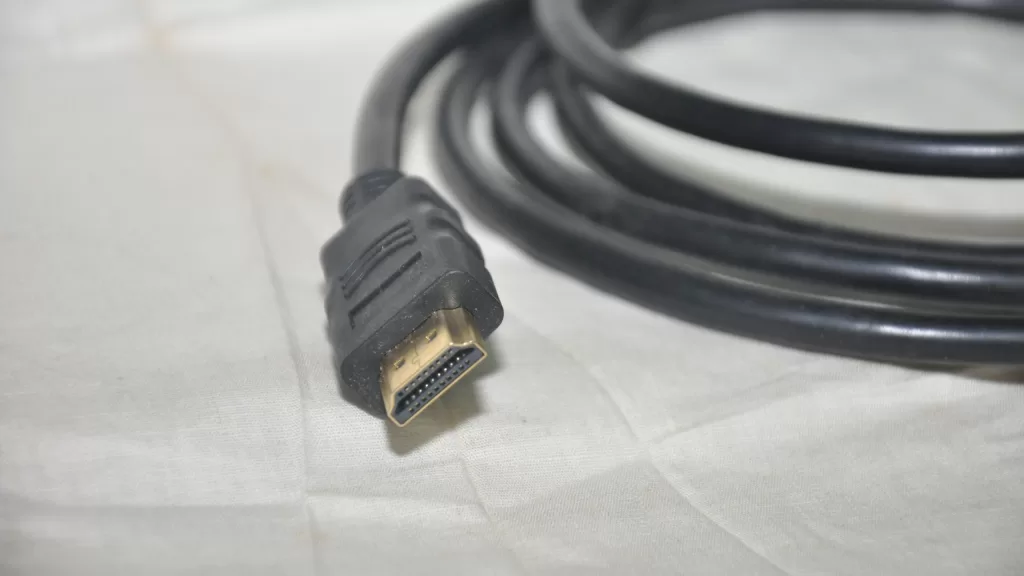
Photo: an HDMI cable. By Kannan shanmugam, CC BY-SA 4.0, via Wikimedia Commons.
Source: the eARC page and FAQ and the “How To Get the Best Sound From a TV” guide, both from HDMI Licensing Administrator, read on 25 October 2026.
Kuwait One, once a week.
The most useful stories we published this week, in your inbox.
No spam. Unsubscribe anytime.