Cleaning a TV screen: a dry microfibre cloth, and never spray it
Switch off first, and keep glass cleaner, alcohol and paper towels away — they can scratch or strip the anti-glare coating
When dust and fingerprints build up, the obvious fix is whatever is under the kitchen sink: a paper towel and a squirt of glass cleaner. Samsung’s support pages say that is exactly what can scratch a screen or strip its anti-glare coating, and the damage is permanent.
A TV in four steps
- Unplug or switch off the TV before you start.
- Wipe smudges and fingerprints gently with a clean, dry microfibre cloth.
- For the frame and body, use a microfibre cloth dampened with a little water, then dry it off.
- Finish by removing any remaining moisture with a dry cloth.
Don’t press hard: both the screen and the frame scratch easily.
What never goes on the screen
- Liquid sprayed straight onto the set — water or anything else. Liquid that gets inside can cause a fault, a fire or an electric shock.
- Glass cleaner, soap, scouring powder, or any cleaner with solvents such as alcohol, benzene, ammonia or paint thinner.
- Abrasive pads and paper towels.
A computer monitor
- Turn off the monitor and computer, unplug the power cables, and let the screen cool.
- Wipe off dust and fingerprints with a clean microfibre cloth without pressing. Compressed air also works for dust.
- Dampen the cloth with a little distilled water — tap water can carry minerals that leave residue. For a stubborn mark such as food, a 50/50 mix of distilled water and white vinegar is fine. Wring the cloth out well.
- Wipe the screen gently, again without pressing.
- Let it dry, then plug it back in.
If your screen came with its own manual from another maker, its instructions come first.
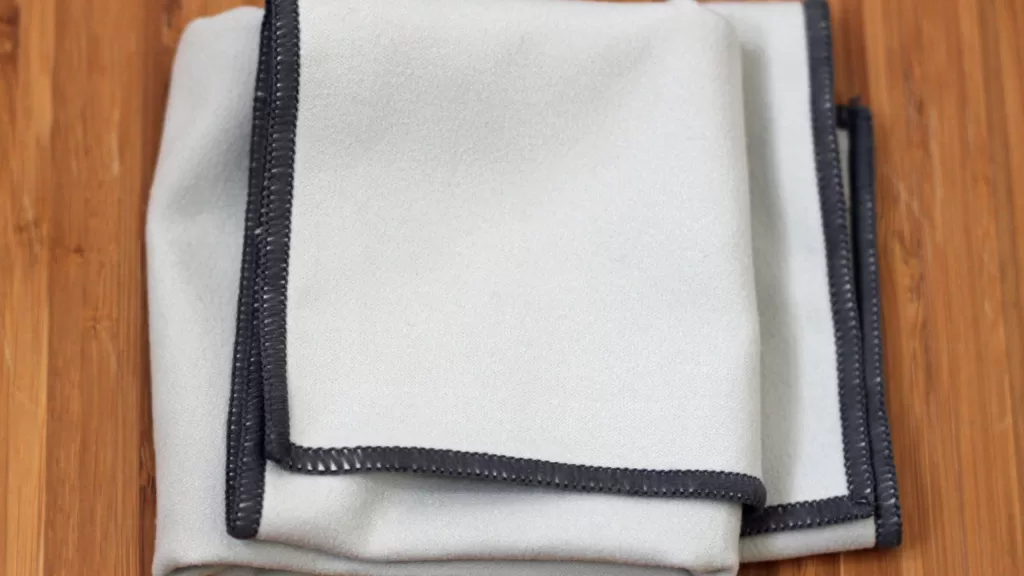
Photo: A folded grey microfibre cloth on a wooden table. HelenOnline, CC BY-SA 3.0, via Wikimedia Commons.
Sources: Samsung Support, “How should I clean my TV screen?” and “Clean your Samsung monitor”, both read on 17 November 2026.
Kuwait One, once a week.
The most useful stories we published this week, in your inbox.
No spam. Unsubscribe anytime.