Galaxy’s Auto Blocker: a dodgy charger can’t send commands to your phone
One switch under Security and privacy stops apps from unofficial sources; a stricter mode also shuts out 2G.
Samsung Galaxy phones have a switch called Auto Blocker that shuts out anything arriving through an unofficial door: an app from an unknown source, or a command sent over a USB cable by a charger or computer. It is on by default on phones that shipped with One UI 6.1.1; older phones updated to that version keep whatever setting they had.
What it blocks
- Apps from outside approved stores: Galaxy Store and Google Play installs go through; APK files from elsewhere are stopped.
- Commands over USB: a tampered charger or a connected computer can’t send commands to the phone or reach its data.
- Booby-trapped images in chat apps: it turns on Message Guard, which blocks images suspected of carrying malware, including in third-party messaging apps.
- Unofficial system updates: system software Samsung hasn’t authorised won’t install.
How to turn it on
- Open Settings, then Security and privacy.
- Tap Auto Blocker.
- Turn the switch on.
Menu names can vary by model and software version.
Maximum restrictions
The same page has a Maximum restrictions option that tightens things further, at the cost of some features:
- Scans installed apps for malicious activity.
- Blocks device admin apps and work profiles.
- Blocks old 2G networks, so calls and data may not work where 2G is all there is.
- Stops automatic reconnection to unsecured Wi-Fi; you can still join manually.
- Hides links and link previews in messages, so you paste addresses into the browser yourself.
- Blocks shared albums and strips location data from photos sent from Samsung Messages or Gallery.
When a trusted app won’t install
Samsung’s advice is to switch the feature off temporarily, install the app, then switch it back on. The same applies to work apps, and to apps carried over from an old phone that didn’t come from an approved store.
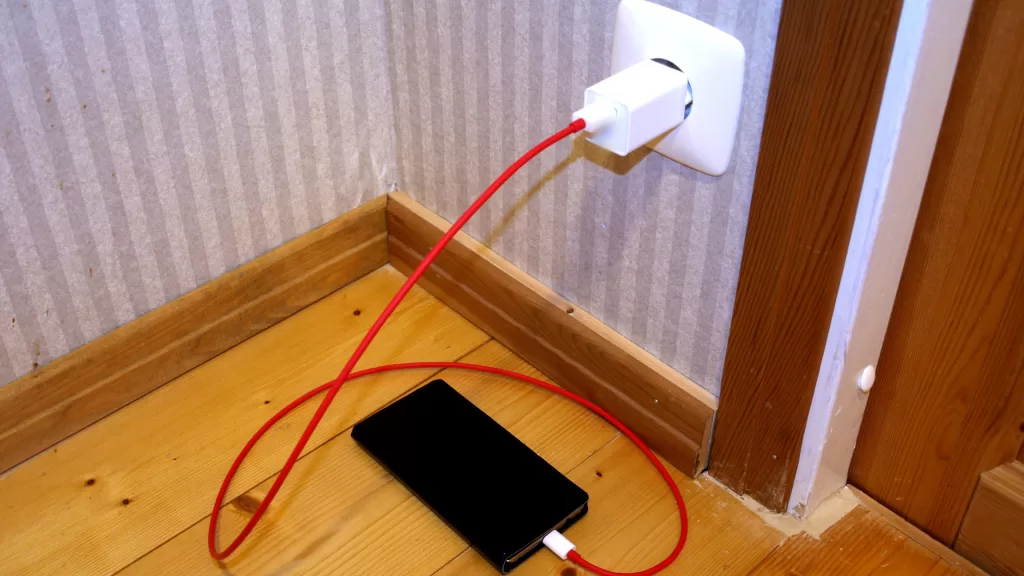
Photo: a phone charging from a wall socket. By Santeri Viinamäki, CC BY-SA 4.0, via Wikimedia Commons.
Source: Samsung Gulf support, “Protect your Galaxy device with the Auto Blocker feature”, last updated 22 July 2026.
Kuwait One, once a week.
The most useful stories we published this week, in your inbox.
No spam. Unsubscribe anytime.