A tracker that isn’t yours: how iPhone and Android warn you, and how to find it
Four settings to check, a ten-second scan, and what to do before you pull the battery.
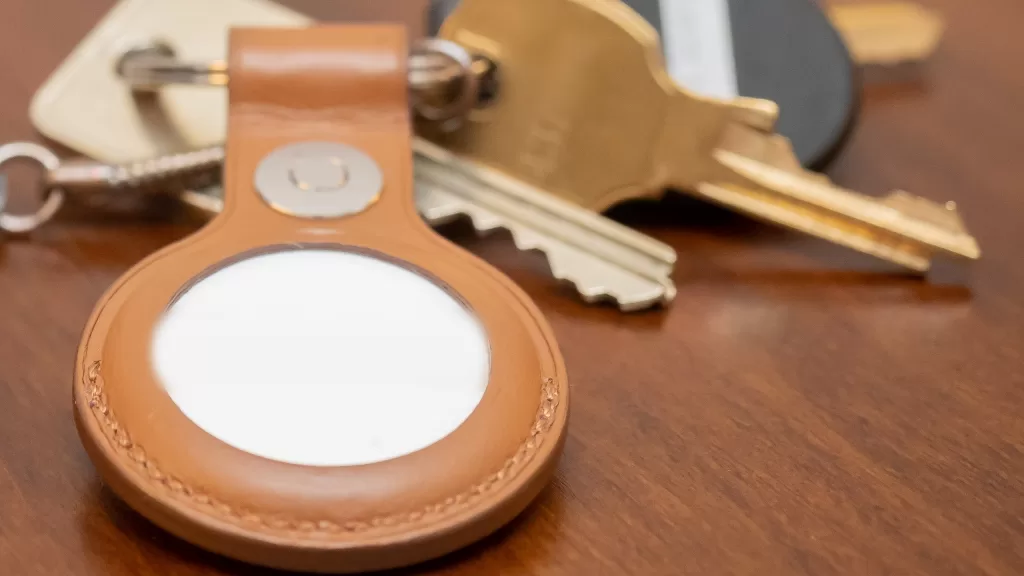
A Bluetooth tag the size of a coin, clipped to keys or slipped into a bag, shows its owner where it is on a map. It is meant for finding your own things, but it can be planted in someone else’s. Apple and Google wrote a shared specification so that your phone warns you when a tag that isn’t yours travels with you — an AirTag or a tag on Google’s Find Hub network, on either platform.
On an iPhone: four settings
Alerts for AirTags need iOS 14.5; alerts for compatible third-party tags need iOS 17.5. Then check:
- Settings › Privacy & Security › Location Services is on, and under System Services, Significant Locations is on, so the alert can arrive when you get home.
- Bluetooth is on.
- Settings › Notifications › Tracking Notifications › Allow Notifications is on.
- Airplane Mode is off — alerts don’t come through in it.
If “AirTag Found Moving With You” appears, tap it. The map’s red dots are where the tag was detected near you; they do not mean the owner was looking at it at that moment.
On Android: a ten-second scan
Any phone on Android 6 or later gets the feature through a Google Play services update, with no app to install. You can also scan on demand: Settings › Safety & emergency › Unknown tracker alerts › Scan now. It takes about ten seconds.
- Automatic alerts need Location on; the manual scan works without it from Android 11.
- You get one alert per tracker per day, and past alerts are deleted after 48 hours — screenshot them if you want a record.
When an alert arrives
- Tap Play Sound and follow it. Playing the sound does not notify the owner.
- On an iPhone with Ultra Wideband, Find Nearby shows distance and direction to an AirTag.
- If you hear nothing, check the places you rarely open: a jacket pocket, a bag’s outer compartment, the car.
- Hold the top of an iPhone, or the back of an NFC-capable Android phone, to the tag’s white face. A page opens with its serial number and the last four digits of the registered owner’s phone number. Take a screenshot.
Before you switch it off
Turning off Bluetooth or Location on your own phone does not stop the owner seeing where the tag is; disabling it takes the maker’s instructions — for an AirTag, removing the battery. But Google warns that some tags factory-reset when switched off, cutting the link to their owner so the police can no longer trace who it was. If you feel unsafe, go somewhere public and contact the police with the tag still on.
Alerts can be innocent, too: borrowed keys with a tag on them, or a friend’s earbuds left in your bag.
Photo: a Bluetooth tracker in a leather holder with keys. Photo by ajay_suresh, CC BY 2.0, via Wikimedia Commons.
Source: Apple Support, unwanted tracking alerts (published 24 September 2026); Android Help, find unknown trackers.
Kuwait One, once a week.
The most useful stories we published this week, in your inbox.
No spam. Unsubscribe anytime.